+86-18343147735


Choosing among the top types of Glucose Testing devices starts with a simple question: what kind of information does a person need? A finger-stick meter gives a reading from a small blood drop, often taken before a meal or medication. A continuous glucose monitor (CGM) tracks glucose through a sensor worn on the body and displays changing patterns. Some systems need a separate reader; others send results to a phone. Each offers a different view.
Diabetes specialist Dr. Richard K. Bernstein describes “the law of small numbers” this way: “The smaller the quantities of carbohydrate you eat, the less insulin you need, and the less you need, the less likely you are to make a big mistake.” His point highlights why dependable readings matter, but a device cannot interpret every result on its own. Timing, symptoms, medicines, and sensor limitations all affect how a number should be understood.
Small details matter. A meter needs a clean test strip and a steady hand; a CGM sensor may show trends, yet readings can differ from a blood check, especially when glucose is changing quickly. No device is perfect. This guide compares common options, including traditional meters, CGMs, flash systems, and laboratory analyzers, by how they work, who may find them useful, and what practical trade-offs to consider. The aim is not to crown one universal winner, but to help readers ask better questions with a qualified healthcare professional.
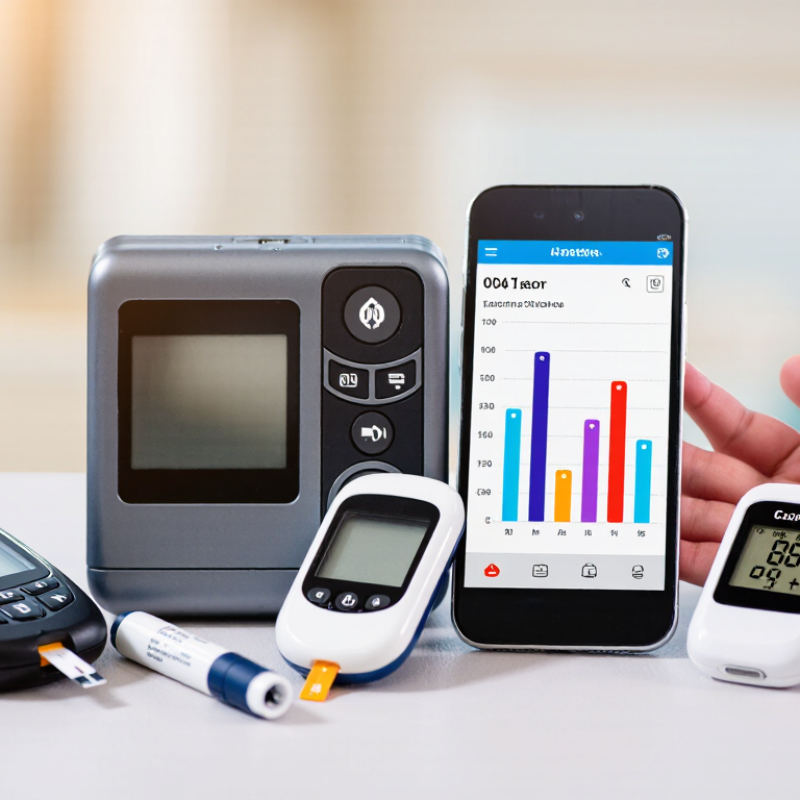
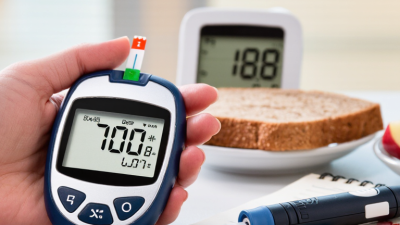
Most home blood glucose meters analyze a drop of blood from a fingertip. The blood travels along a disposable test strip. Inside, glucose reacts with chemicals on the strip and produces an electrical signal. The meter measures that signal and converts it into a glucose reading.
A tiny sample. The result reflects that moment, not the whole day. Unwashed hands, damp fingers, or poorly stored strips can affect the reading. Even a trace of fruit juice on a fingertip may matter.
Continuous glucose monitors work differently. A small sensor sits just beneath the skin and measures glucose in the fluid around body cells, rather than directly in blood. The sensor detects chemical changes and sends readings to a display at regular intervals.
There can be a short delay between changes in blood glucose and changes in this fluid. So a reading may not match a finger-stick result exactly, especially when glucose is changing quickly. The numbers can look precise, but they are not a perfect snapshot. Following device instructions and discussing unexpected readings with a health professional can help put them in context.
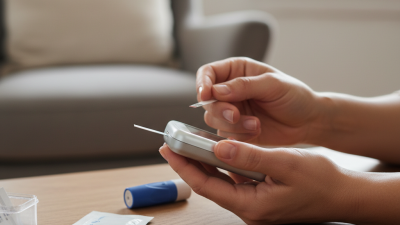
Fingerstick blood glucose meters estimate glucose from a small drop of capillary blood. A lancet pricks the fingertip, and a disposable strip draws in the sample. The routine is quick, but small details matter. Wash and dry hands before testing; food residue or damp skin can affect a reading. Even careful users can miss a step.
ISO 15197:2013 sets performance criteria for blood glucose monitoring systems: at least 95% of results must fall within ±15 mg/dL of a reference value below 100 mg/dL, or within ±15% at or above 100 mg/dL. This is a testing standard, not a promise that every home reading will match laboratory results. The American Diabetes Association’s Standards of Care in Diabetes—2025 notes that blood glucose monitoring can help people using insulin, with testing schedules tailored to treatment needs. Record readings alongside meals, activity, and medication timing; a single number rarely tells the whole story. Not a diagnosis. If results seem inconsistent with symptoms, retest with clean hands and discuss recurring concerns with a healthcare professional.
| Meter Type | How It Tests | Common Features | Potential Advantages | Things to Consider |
|---|---|---|---|---|
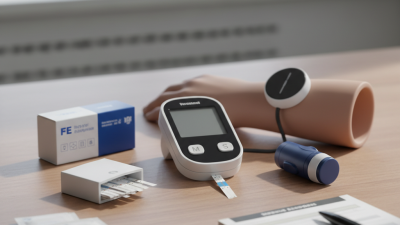
| Standard fingerstick meter | A drop of capillary blood is placed on a compatible test strip inserted into the meter. | Displays a blood glucose result; many models store readings and show averages. | A widely used option for checking glucose at a particular moment, including before or after meals as directed. | Requires a lancing device, test strips, and a fresh blood sample for each test. Strip compatibility and storage instructions matter. |
| Talking or audio-enabled meter | Uses the same fingerstick-and-strip method as a standard meter. | Provides spoken results and may offer audio prompts for testing steps. | Can make results and instructions easier to access for people with low vision or difficulty reading a display. | Check that audio settings, language, and controls suit the user; this feature does not remove the need for a blood sample. |
| Connected or app-linked meter | Measures glucose from a fingerstick sample, then transfers readings to a phone or other compatible device when supported. | May include Bluetooth data transfer, tracking charts, meal or medication notes, and sharing options. | Can help organize readings over time and make records easier to share with a care team. | Requires compatible software or devices for connected features. Review privacy settings and keep a backup record if needed. |
| Meter with an integrated lancing or strip-handling system | Still tests a blood sample with a strip, but combines or simplifies some testing supplies in the device design. | May use an attached lancing mechanism, a strip cartridge, or another built-in supply format. | May make supplies easier to carry and testing steps more convenient for some users. | Check how supplies are replaced, how used lancets are disposed of, and whether the format fits the user’s testing routine. |
| Multi-function glucose and ketone meter | Uses a fingerstick sample and the appropriate compatible strip for the selected test; glucose and ketones require different test strips. | One device may support both blood glucose testing and blood ketone testing. | Can consolidate equipment for people whose care plan calls for both types of measurement. | Confirm the correct strip and test mode each time. Ketone testing is not a substitute for glucose testing or medical advice. |
| Alternative-site-capable meter | Depending on the meter and its instructions, a sample may be taken from an approved site other than a fingertip. | Some systems allow alternate sampling sites for certain tests. | May provide another sampling option when glucose levels are stable and the device labeling permits it. | Alternate sites may lag behind fingertip readings when glucose is changing quickly. Use a fingertip sample when symptoms do not match the result or glucose may be changing rapidly, and follow device instructions. |
| General note: Meter features, sample requirements, and compatible supplies vary by device. Follow the user manual and clinician’s guidance. For home meters, FDA-recognized performance standards include ISO 15197:2013, which specifies that at least 95% of results fall within ±15 mg/dL of the reference value below 100 mg/dL, or within ±15% at or above 100 mg/dL, under the standard’s test conditions. | ||||
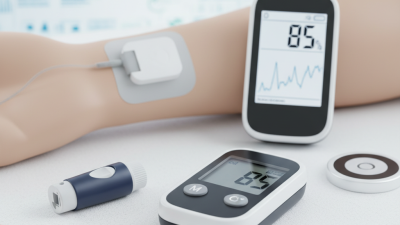
A continuous glucose monitor (CGM) tracks glucose throughout the day using a small sensor worn on the body. The sensor measures glucose in the fluid just beneath the skin, rather than directly in the blood. Readings appear on a receiver or compatible phone, often with a graph showing recent changes. Useful, but not magic. Because glucose in that fluid can lag behind blood glucose, a reading may not match how someone feels at that exact moment. Trend arrows and alerts can help reveal patterns, such as a rise after breakfast or a drop during an evening walk. Yet one alert is not a verdict; sensor readings can fluctuate, and the context matters.
People considering a CGM can ask a healthcare professional which device features fit their needs, including alert settings, wear time, and whether calibration is required. Follow the device instructions, and use a blood glucose meter when advised, especially if symptoms do not match the displayed reading. A small notebook can help connect readings with meals, activity, sleep, or medication changes. Patterns may become clearer over several days, though they do not explain themselves. Reviewing them with a clinician can support informed adjustments without relying on a single number.
Flash glucose monitoring systems measure glucose in the fluid beneath the skin, rather than directly in blood. A small sensor, often worn on the upper arm, stores readings throughout the day. Users scan it with a reader or phone to see a current value, recent history, and trend arrows. A quick scan can replace routine fingersticks for many decisions, but it is not a perfect snapshot.
The International Consensus on Time in Range recommends reviewing 14 days of data, with at least 70% of readings available. For many adults with diabetes, it sets a target of more than 70% of readings between 70 and 180 mg/dL. These are review goals, not guarantees of device accuracy.
In the 2016 IMPACT trial, published in The Lancet, flash monitoring reduced time spent in hypoglycemia by 38% over six months among adults with well-controlled type 1 diabetes. That detail matters.
Interstitial readings may lag during rapid glucose changes, such as after exercise or a meal. If symptoms do not match the reading, follow clinical guidance rather than trusting the number blindly. Scan habits can also leave gaps; easy to overlook.
A blood glucose meter measures glucose in a small drop of blood, usually collected from a fingertip. It gives a single reading rather than a picture of changing levels.
Testing may mean carrying strips and a lancing device, then recording results by hand. Small details matter.
Cold fingers or a sample that is too small can affect the process, so follow the device instructions and discuss unexpected readings with a healthcare professional.
Continuous glucose monitors use a sensor placed under the skin to estimate glucose in fluid between cells. Many provide readings throughout the day and can show trends or alerts.
These trends can reveal rises after meals or overnight changes that occasional fingersticks may miss.
There can be a delay between blood glucose changes and sensor readings, especially during rapid shifts. Timing matters, too.
Some sensor systems send readings automatically, while others require a scan to display them. That difference affects how often someone needs to check a screen, though features vary by device.
Sensors also need replacement on a schedule, and skin comfort or placement can be practical concerns.
No device tells the whole story: meals, activity, medicines, and symptoms provide context. A reading that seems inconsistent deserves a careful recheck, not a guess.